Dealer License Renewal
Dealer License Renewal - How To Video
All licensees are required to annually renew their dealer license and/or plates electronically through AZ MVD Now Dealer Services. A courtesy notification will be sent by email 45 days prior to when the renewal is due. The right to use a Dealer plate and motor vehicle dealer license terminates at midnight on the date of the license expiration.
Renewal of Dealer plates and license can only be accomplished through the AZ MVD Now Dealer Services.
- Licensees will need to provide their current Transaction Privilege Tax (TPT) license number at time of each annual renewal and report number of sales for the previous license period
- New, used and wholesale dealer types must provide the number of sales for the previous license period
If you will not be renewing your dealer license/plate(s), see the Canceling Dealer License topic.
 Dealer License Renewal
- Sign into AZ MVD Now.
- See Signing into AZ MVD Now for steps
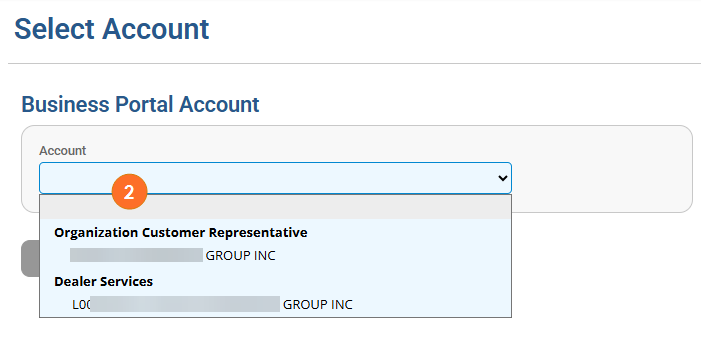
- Select the proper Dealer Services Account from the Account drop down.
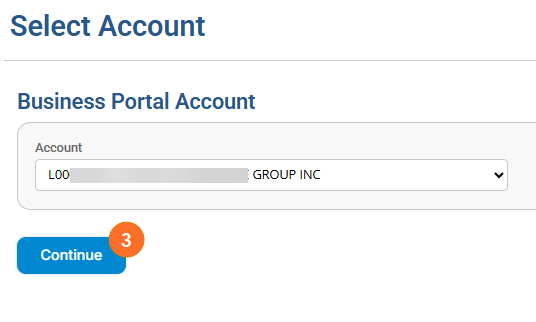
- Click Continue.
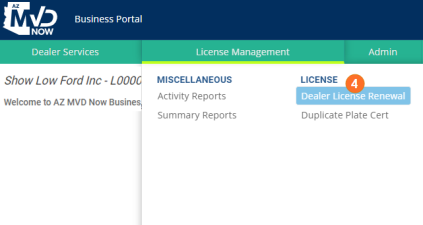
- From the License Management menu, select Dealer License Renewal.
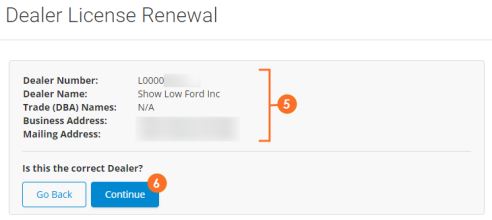
- If your license is within the 45 day renewal period, the dealer details will display.
- Confirm the dealer details and click Continue.
- Review the dealer details and answer each question.
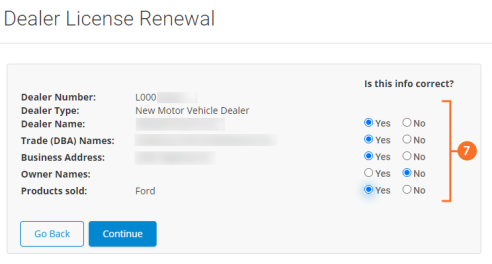
- If you answered "no" to any of the questions you will need to update the information on the license before you can renew.
- The system will prompt you, see the Managing Existing Dealer License folder for steps on updates
- You won't be able to continue the license renewal until it's updated
- If all the information is correct (you answered "yes" to all the questions) you will continue.
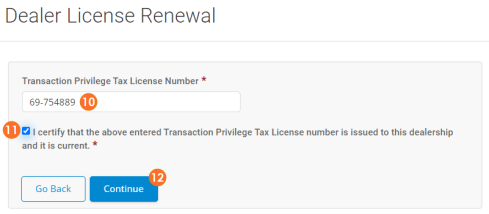
- Type the Transaction Privilege Tax License Number in the field provided.
- Read and check the certification statement.
- Click Continue.
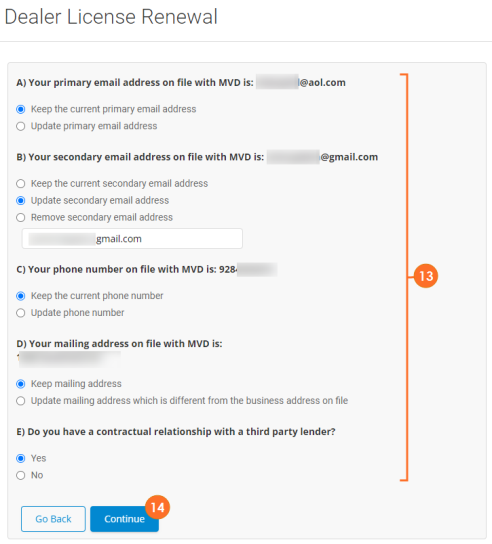
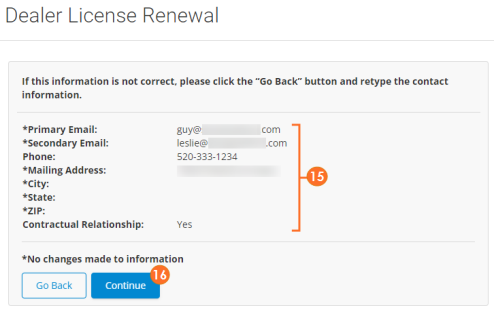
- You will be prompted to review and update contact information for the dealer. Review each item and update as needed.
- Click Continue.
- The updated information will display. Confirm everything is accurate.
- Click Continue.
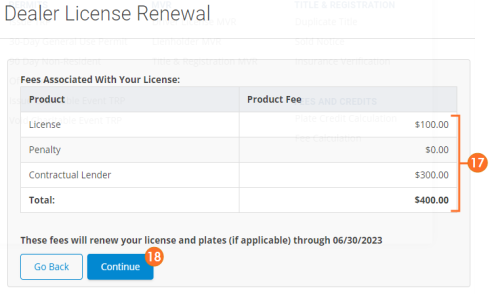
- The fees related to the dealer license renewal will display.
- Click Continue.
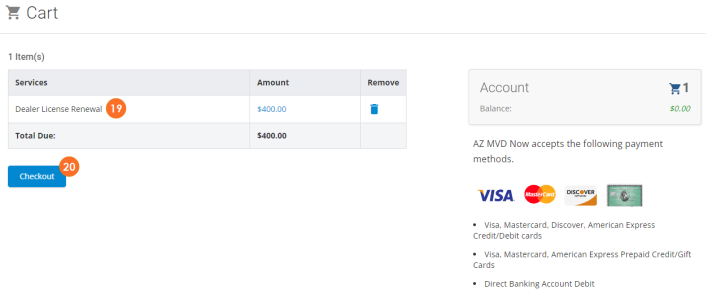
- The Dealer License Renewal will be added to the cart.
- Click Checkout.
- If a Payment Method is already saved, click Select to select that payment method.
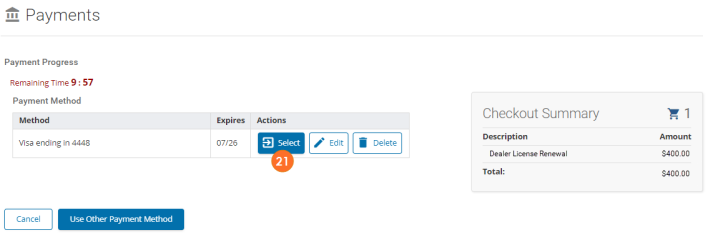
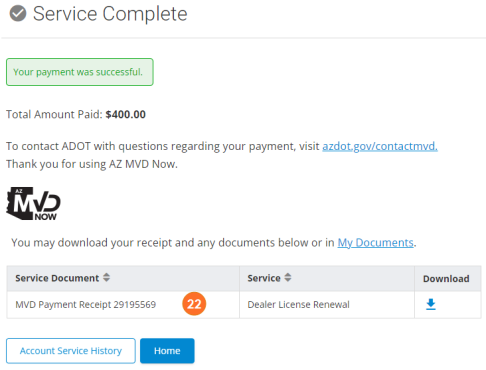
- The payment will be processed and the Dealer License will be renewed.

|
The Expiration Date of the license will display as 'annually.' Therefore, a new license will not be issued. If you need a replacement license issued, a $5.00 fee will be charged. |